Expresii 寫意
  • Home
  • Showcase
    • Moxi Paint Engine
    • Yibi Brush Engine
    • A New Way to Paint
    • youji Rendering Engine
  • Download
    • Get / Buy Expresii >
      • Update Log
    • Sample Artwork Files
    • Third-Party
  • Support
    • Documentation >
      • End User License Agreement
      • Privacy Policy
    • Video Tutorials
    • User Forum
    • FAQ
    • Feedback
    • Help Translate
  • About Us
    • Contact Us
    • Media Resources
    • Privacy
  • Blog
  • 主頁
  • 示範
  • 網誌
  • 下載
  • 關於我們
    • 聯絡我們

Expresii on Microsoft Surface Book 2

30/6/2018

Comments

 
We were excited ever since the first Surface Book came out in 2015, since it gave the option for a discrete GPU.​ Now we have a chance to test with a Surface Book 2, thanks to Microsoft for providing the hardware for testing.
Picture
We are provided with the 13.5" model. Coming from the 12" Surface Pro, I like the bigger screen size.   The hardware feels really solid and clean. And of course, with an nvidia GTX 1050, we get very good performance, although it gets a bit hot and the fan would kick on. 
Picture
Left: Surface Pro 2017. Right: 13.5" Surface Book 2.

You need the base

When you detach the base, the GPU performance  drops significantly, so  you would like to attach the base when you use Expresii. In fact, when I detached the base and held the tablet part only, I realized how convenient the kickstand of the Surface Pro is!  Note that the tablet part doesn't have any USB port (or video port), so you can't really use it in place of,  say, a Surface Pro. I believe they designed it for only brief detachment like for the case of quick presentations.  
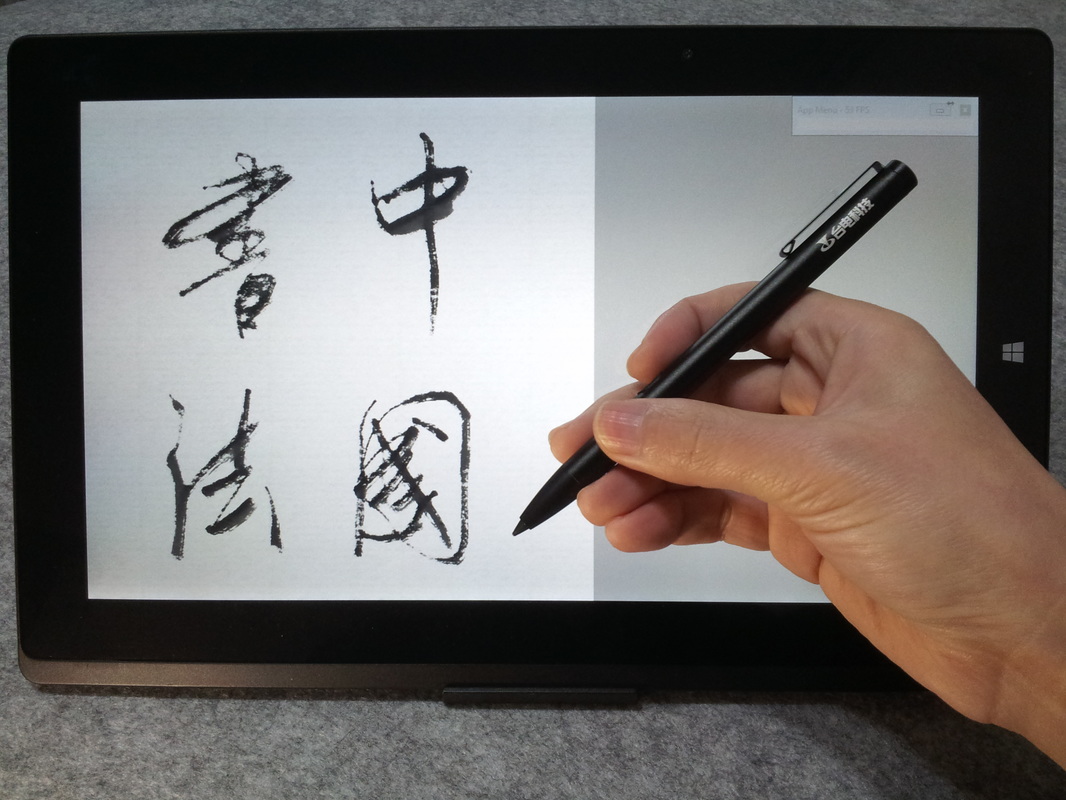
PictureCalligraphy done in Expresii on the 13.5" Surface Book 2

See the calligraphy process video in Youtube:
Comments

Happy New Year of the Dog 2018 狗年旺旺

22/2/2018

Comments

 
Lunar new year day was  16th of Feb, 2018.   We wish you all the best for the new year  of the dog!
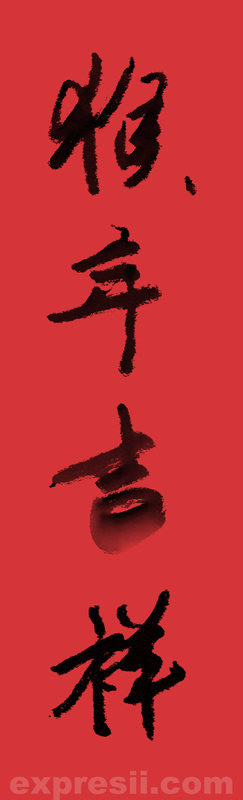
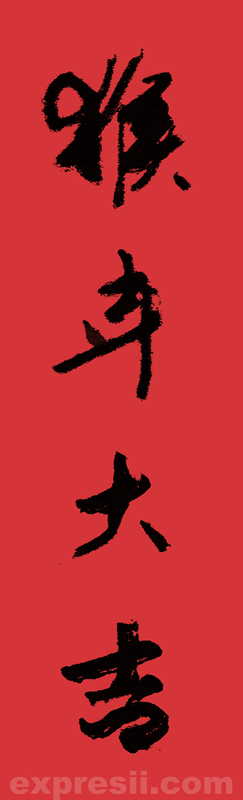
Now it's being a tradition we play with the Chinese character for the year.  This year, we play with the character 狗, which means dog:
Recently, ambigram  is popular around East Asia, so we make one that reads dog and shows a dog 90-deg turned.  
​And notice how we use pen tilt to make organic marks.
Chinese characters give you so much room for imagination!  We can't stop playing with them!
​大家快來寫數位書法,漢字給你太多想像了!
Picture
Only Expresii gives you this level of expression with brush and ink! 
Picture
Picture
Comments

Keeping Tradition Alive 只有發展才能保留

23/10/2017

Comments

 
Earlier this month, our Dr. Nelson Chu, along with  two more  alumni ​, was invited to speak in an alumni sharing session by HKUST.   You can review the whole sharing  here.   Nelson showed our  ground-breaking app Expresii on a tablet computer to the audience.   

Digital Art not real art? 數位藝術不是真藝術?

During the Q&A section, Nelson was asked   to comment on how to deal with people saying digital art is not real art. To answer  this, let's first assume people don't regard digital art as real art because they think operations like undo and redo   mean   cheating. Let's here what Nelson has to say:
One may say there's no mistakes in art so there's no need for undo. Okay, then let's regard undo's and redo's as opportunities to go back and forth in time. - Nelson Chu
'Long time ago when the Western fountain pen got introduced to the East, people might say "pen calligraphy" is not calligraphy. Only brush calligraphy is. But now people accept that pen calligraphy is also calligraphy' said Nelson.
Nelson is a firm believer of digital calligraphy.  See how he does digital calligraphy with his own tool Expresii: 
From the above videos, you see how undo's and redo's allowed more flexibility and save time  to create the perfect design without wasting paper.    ​(^(エ)^)

Embracing New Tools

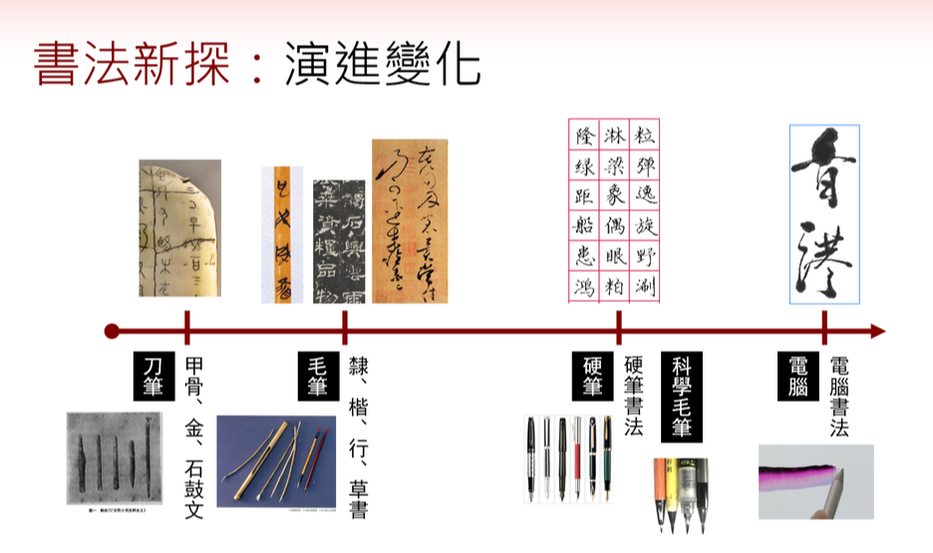
In deed, if you look at the history of writing tools in East Asia, you will see we keep adding new tools to our arsenal over the years.  If we insist that a new tool has to act exactly like what came before it, there wouldn't have been brush calligraphy in the first place because we would still be using carving knifes to write. 

​​We should really   embrace new technology   and   explore what we can do with it.
Picture
History of writing tools in East Asia
我們拿書法來談談工具的影響吧。毛筆書法的出現,是因為我們發明了毛筆。試想想,如果我們都堅持新工具一定要跟之前的一模一樣,那我們可能還是用着刻刀來刻字呢,而毛筆書法根本不會發展出來。
​​
也許以前有人說,硬筆寫的不是書法,只有毛筆寫的才是書法。但現在大家都已接受
硬筆書法也是書法。我們深信,數位書法是必然會發展起來。

Changing Business Model

Another possible reason why people don't consider digital art real  is that they can't sell it to galleries or collectors like they do with works done in physical media.  People are concerned that artists  (along with a whole ecosystem of art dealers) can not make a living if there are no   originals  (vs. digital copies) to sell.   

To respond to this, firstly, we'd like to emphasis that artistic value is NOT market value. If we stick to the question of  whether something is real art we should  really judge it by its artistic value.   Whether it sells or not is a completely different story.   For a painting, we judge its artistic value by e.g. the use of colors or  composition, which you can also find in digital art. 

Secondly, business models can adapt to changes.  A century ago, musicians made a living by performing live. With the invention of sound recorder, musicians don't lose their job simply   because there is  a way to playback their music. Instead, a whole ecosystem of record companies & distributors came into existence. And then came the digital age, when people don't buy CD's as often.  Record companies could blame digital music making it easy to be pirated. Then Apple fights the problem by providing a way to get legit music easier than looking for pirated copies.   And if you think those big companies are paying artists  too little royalty ,  now independent   artists can sell their music, art or tutorials via sites like Gumroad with a much bigger cut,  effectively  democratizing  art selling for creators.

消失中的手寫字 hand writing anyone?

久不久就有人發表文章,說現代人都用電腦手機,都不會寫字了。而且電腦字體的流行,讓人廉價使用。街上原本很美的手寫字招牌,一下子被呆板的電腦字體所取代。

我們不能逆轉電子產品的普及應用,但可把東西改進,讓它更適合我們。我們在軟件上努力,做出Expresii 水墨書法軟件,讓大家可以更好的在電子時代,承傳並發展中國書法和水墨畫。其實,電腦上也可以手寫字啊!

In the Chinese community, we regularly see  complaints  about new gadgets making our younger generation forgetting how to write with their hands.  The rise  of computer fonts  also turned beautiful calligraphic signs into unimpressive 'computer-font' ones in   our city . All these  new gadgets  seem to take away our cultural heritage.

Gadgets  only get   more popular and  we can't revert that. But what we can do is to build new tools  to go with them so that we can breathe new life into our  culture.   In Expresii, we're actually making digital art organic to a whole new level - in response to existing paint programs making brush strokes that are so sterile.
Picture
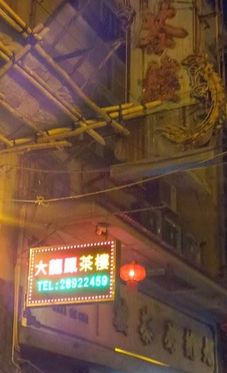
Old neon vs New LED sign (Macau 2014)
Picture
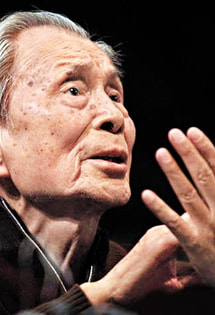
Wu GuanZhong (吳冠中) 1919-2010

To Keep Tradition Alive = To Bring In New Life

保留傳統,只有發展才能保留,不發展就不可能保留。 - 吳冠中
以上是已故著名畫家吳冠中的一句話,語出這裡。我把它翻譯成:To Keep Tradition Alive = To Bring In New Life。華人都很講‘傳統’,但真的,‘傳統’不是死的,而是需要我們去繼續發展下去的。希望大家不要抗拒新發展。新發展是難的,方向也不一定對。如果大家對我們的發展有什麼看法,歡迎指正。在此也僅希望從事教育的朋友,或者關心傳統的朋友,如果覺得我們做的事情是對的,請給予支持,幫忙廣傳。感謝!

I can't emphasize enough the importance of new development.  If you think what we do with Expresii is worthwhile, please help spread the word. Thank you!
​
Further on the pros and cons of digital painting:   Why go digital?
Comments

Software Tech for Digital Eastern Calligraphy 東方書法軟體技術

24/4/2017

Comments


Brush as a Simple Circle

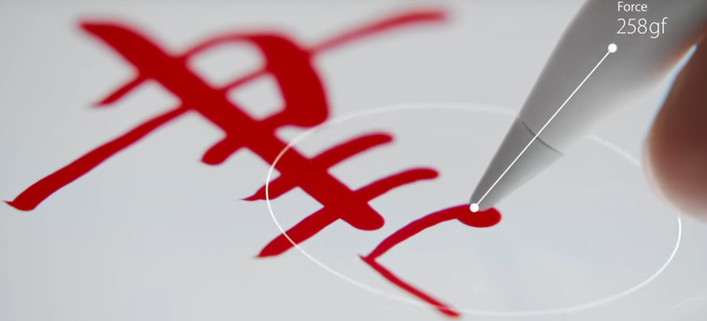
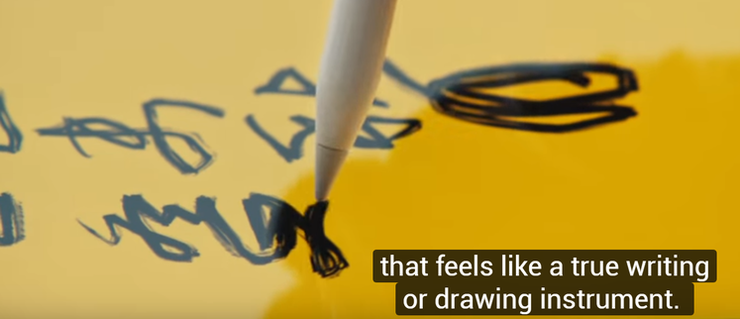
When Apple   introduced the Apple Pencil, I was thrilled to find out the Apple Pencil supporting tilt. Eastern calligraphy appeared two times in their launch video. The first one is writing '書'  in red (below). 
Picture
First appearance of Eastern calligraphy in Apple's Pencil launch video (2015).
From the video, it seems the brush is only modeled as a circle i.e. strokes are made by sweeping a circular shape, scaled by the pressure applied. Years ago, there's a team from Taiwan making a tool named 'Royal e-Pen (神來e筆)' specific for Chinese calligraphy (video right) and that's basically the same software tech they have - modeling the brush as circle. When we were young,  we used to learn calligraphy by writing on top of model calligraphy (‘描紅’ as they say in China).  Teacher would say the worst crime you can commit is filling up strokes by going back and forth like what you do with coloring books. 
When your brush is  only modeled as a circle,  your brush footprint is rather different from that of a real brush and you might need to go back and forth if you want to conform to the model stroke shapes. To me,  using a very simple model like the circle to do calligraphy is fine as long as someone finds a good way of writing without awkward 'gap-filling' motion and that the resulting strokes are nice-looking.  Unfortunately,  sometimes you get sausage-like strokes (right), which is not very pretty.

Brush with Bristle Effect

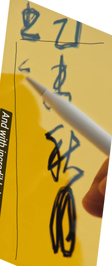
The other appearance of Eastern calligraphy in Apple's video uses a more elaborated rough brush footprint to give a bristle or scratchiness effect (below).  The app used seems to be Procreate, which is a very nice painting app, btw.
Picture
Calligraphy done with circle as brush footprint in 'Royal e-Pen'
Picture
Second appearance of Chinese calligraphy in Apple's launch video (2015)
Picture
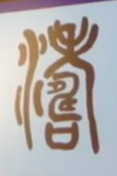
The script rectified. I read '秋月' there.
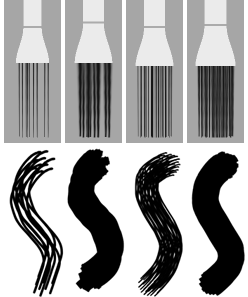
Since its early versions, Painter has been using 'dots  within a circle' as the brush footprint to give a 'bristle' effect (video below).  Procreate seems to use a similar method to do bristle effect - the dab could be a captured image instead of one generated on the fly.  Interestingly, Adobe's 3D brushes give effect similar   to what these 2D brushes give  - the 3D nature seems to be not put into good use. In fact, when Samsung's latest Galaxy Book tablet was announced, demonstrators actually had a hard time showing off the new pen tilt feature with Photoshop, because no matter how they tilted the brush, they still got strokes as if  done in 2D without tilt support. By the way,  when a brush is enlarged, why does  it start to sprinkle smaller version of itself?
Picture
Adobe's 3D brush design with "individual bristles" [1]

Our Efficient 3D brush model

In order to capture the nuance we normally get when using a real brush, we devised a more efficient 3D brush model. By efficient we mean we don't need to model it as 'individual bristles' as in Adobe's 3D brushes [1], and yet we believe we get more stroke variations than they do.  Our brush model also looks and acts more like a real brush instead of a brush made of stiff wires.  All in all, we believe our brush is the most natural and intuitive to use among all paint apps available today.

I can only recognize two characters '秋月'  from  what is written in the second appearance of Eastern calligraphy above so let's try writing the same characters in different styles in Expresii: ​​
And another demo  '筆墨'  for you.  In Expresii, every stroke has  its own character, its personality.   You can 't make the same stroke twice.
And I love doing designs like the following using Expresii.  You can do designs quickly and easily just like using a real Chinese brush.
And don't just take our words. See what Shaun Bryant has to say:
I'm loving how quickly and easily I can make vastly different marks in Expresii
​- Shaun Bryant, Visual Development Artist @ Dreamworks Animation

High resolution Rendering

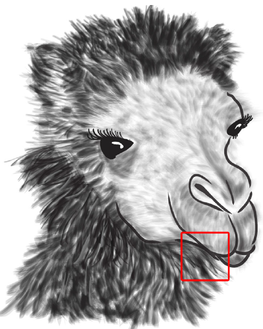
We all know that raster-based paint programs are good for stroke richness  but you can't really zoom in too much.  Adobe came up with a solution of generating vector graphics  [1] for high resolution rendering.  For this to work, you're effectively  switching entirely to their vector-based tool, namely Illustrator.  When enlarged, you see many individual polygons overlapping each other (below). Personally, I don't think it looks too pretty nor natural, not to mention the added burden of rendering thousands of polygons.  ​(๑´╹‸╹`๑)
Picture
Picture
Adobe's solution for hi-res rendering with their 3D brushes (images from [1])
We came up with an entirely different solution to the fat pixel problem. We can zoom in a lot, but the marks still look natural.   ​ Jony Ive ended Apple's launch video with "gives you the ability to touch a single pixel".  And here I'd like to say we give you the ability to zoom in a lot without seeing a single pixel.  ( ̄▽ ̄)ノ​
In summary, we hope to ​do Eastern Calligraphy justice with our software tech :
  • 3D brush model capturing nuances 
  • High-res rendering up to 12k x 12k

Cultural Significance

People complain  about the younger generation  being occupied by gadgets and  too few are doing traditional arts. If you are an educator involved with art or East Asian languages,  please consider joining us for this digital calligraphy  revolution. Technology  and art are not mutually exclusive. You can start teaching digital calligraphy today. Together, we'll work to revitalize this ancient art form.  Leave a comment below or message via Facebook, Twitter or whatever. Thank you!

Reference:
[1] from their paper "Industrial-Strength Painting with a Virtual Bristle Brush", 2010. [cached copy]

2017.04.30 Update:  we are informed that the piece of calligraphy was done by  Prof  王冬齡, and in the video, the shot should be showing him signing his name '冬齡'.  [ref 1] [ref 2]
Comments

Year of the Rooster - Animated GIF 簡單動畫

2/2/2017

Comments

 
Made a few animated GIF for the new year with Expresii.  
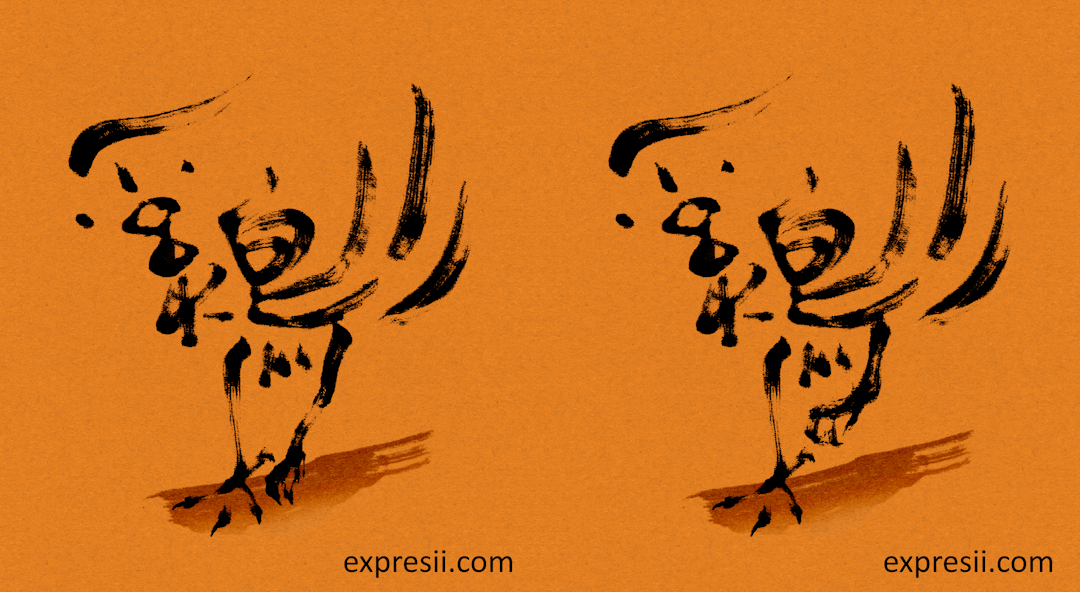
This one is a design made using the Chinese character 鷄 , which means Chicken:
Picture
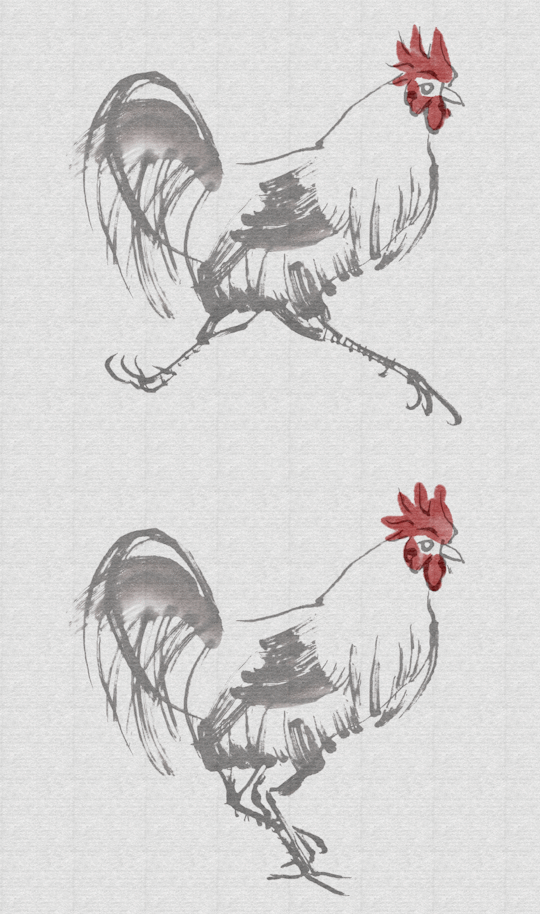
Running chicken 走雞:
Picture
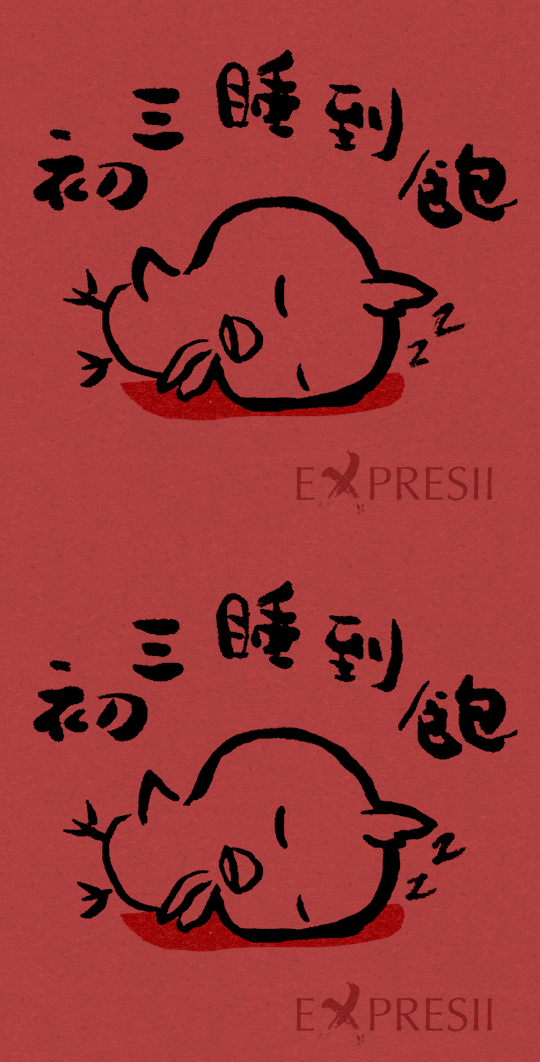
'​Sleep well on the 3rd day of the new year':
Picture
Essentially these animations are done using the Overlay as onion skin.  You can also apply LightBox effect on the Overlay.  You can toggle the Overlay via  hotkeys ~ ` to alpha = 0 and 1. We output the frames to another program to do cropping or composition,  and then  feed the final frames to an online GIF maker  to make the GIFs.

The following videos shows some of the stroking process:
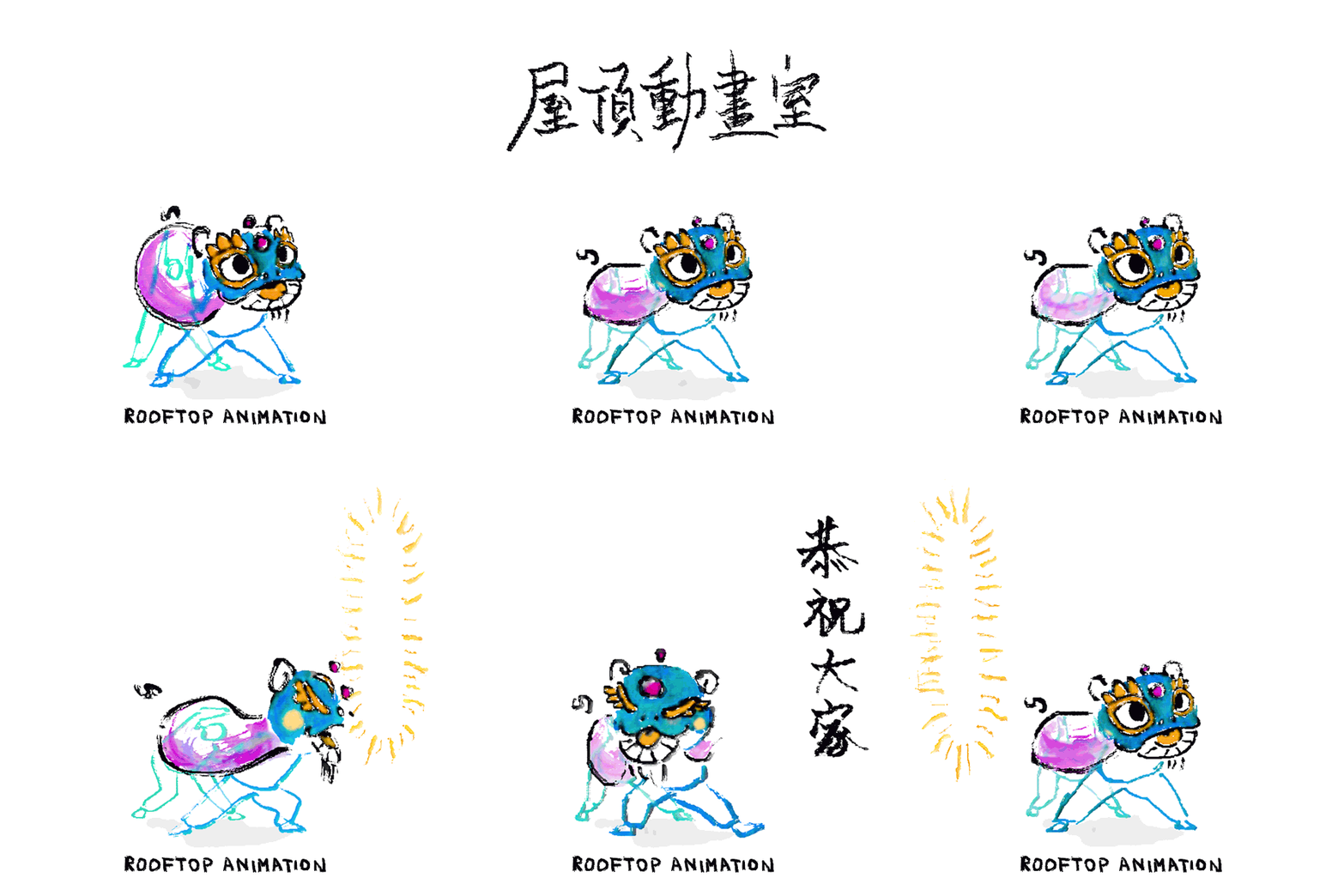
Finally here is a Lion Dance greeting GIF made by Rooftop Animation using Expresii (along with Photoshop, etc) for the new year:
Picture
Comments

Wacom Connected Ink Tokyo & Digital Calligraphy

1/11/2016

Comments


Digital Ink - moving forward

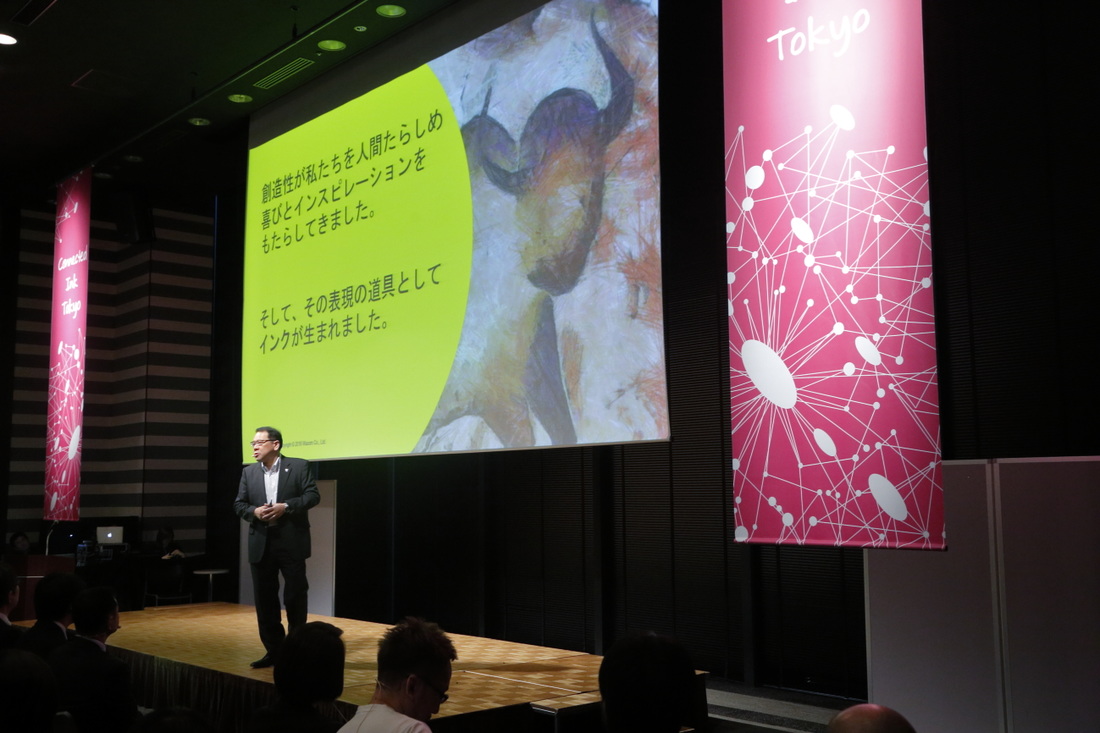
Another  Connected Ink event was recently  held in Tokyo  by Wacom for the promotion of digital ink.  ​Nearly 200 industry leaders from various global technology and stationery companies took part in this event. During the event,  Wacom  CEO Masahiko Yamada announced the establishment of the  Digital Stationery Consortium, Inc., whose  mission is to create a movement with cross-industry partners to make digital ink widely adopted and to promote the evolution of smart digital stationery.
Picture
Masahiko Yamada, President and CEO of Wacom giving opening speech
One of the presenters was Kuretake ,   a famous  Japanese stationery  brand  whose root is in making traditional Eastern ink and related art supply. Mr. Suguru Takemoto from Kuretake Marketing talked about the "History of Handwriting – roots of ink” and  ​Expresii  was used for digital calligraphy demonstration during  his  presentation on stage:  
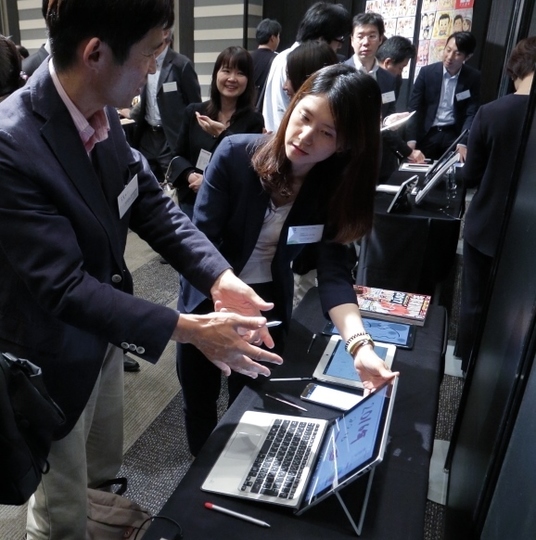
Expresii was also used to demo Wacom's AES pens, which are found in today's various Windows tablets, including the HP Elite x2:
Picture
Expresii used in Wacom's demo booth (Event photos from Connected Ink website)
Check out  the AES pen ID demo and more from our previous blog entry on  CES Asia & Connected Ink Shanghai.

Digital Ink Calligraphy - Pen or Brush?

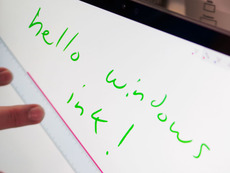
PictureMicrosoft digital ink
Today 'digital ink' is often referred to as the digital counterpart of physical ink used with a pen. It's often rendered as rather uniform-looking lines. 
​
However, if you mention '墨' (the Chinese character for 'ink') to a Japanese or a Chinese, the first thing they think of is the ink used in their traditional art forms, which inspired great artists like Picasso and Matisse.

'Brush Calligraphy' is  one of the most important art forms in East  Asian countries like China, Japan and Korea. For thousands of years, East Asians have been using brushes instead of pens to write. For lack of a better word, I could only translate an East Asian Brush as 'writing brush' - because it's designed specifically for expressive lines as required in Eastern calligraphy.  Another difference  between Western and Eastern calligraphy is the paper used.  Eastern art papers are absorbent  and you can get a wide range of effects depending on the paper type and how diluted the ink is.  There are even a few types of ink  that you can choose from giving you even more variations.

In the future, we might create  a new app specific for this ancient Eastern art form, making it easy for users to use subtle ink effects like  these:

Picture
And in response to Wacom's effort in promoting digital  stationery, here is a calligraphy piece  '文房具', which means  Stationery in Japanese, done by our Dr.  Nelson Chu earlier:
Let us know if you'd like to see an  app specific for Eastern  calligraphy  from us.
Comments

Teclast X16 Power 台電平板

21/2/2016

Comments

 
We recently acquired a Teclast X16 Power, which  uses the same Intel  Atom  CPU   z8700  as the MS  Surface 3  does.  It  can be paired with an 'active'  stylus  (it's not clear exactly what Teclast meant, but it looks like its AES - Active EletroStatic), which supports pressure but not tilt.  The biggest difference from an traditional EMR stylus is that  this Active pen doesn't support hovering meaning that you do not know exactly where you're hitting the surface until you actually hit it.  
Picture
We  tried doing calligraphy on it.  The pen tip is so firm - we actually  need to update Expresii's Pressure Adjustment range so that we can stroke without pressing too hard on the screen  (the tip would scratch the protective film that came with the machine).   We  also encountered the broken paper texture bug that some  of  our users    reported earlier   on this new machine on Win  10.  With this machine on our hands, we are able to do something  to avoid this bug, at least on our X16 Power.  In case you still get such a bug even with  the latest update of Expresii,  please let us know. 
This X16 Power  is priced similarly  as the Cube i7 Stylus we  tried  earlier.  It  has a bigger screen but a slower processor  (4o-sth   FPS  vs  60-sth      FPS  in Expresii Full mode).  It consumes less power  and thus has much better   thermal  (stays cool, fanless)  than the Cube i7 .     The speed is not ideal  for Expresii  Full, but it's a rather low-cost machine  that  you can also use with Android  5, in addition  to Windows 10.  You  can also  get  a  keyboard cover  free (depending on the seller).  It has 8GB    of RAM  - as if it's a top model  of  the MS Surface Pro  line ^_^.   Overall, it's a not-bad tablet if you don't feel like spending a whole bunch  (for  comparison  the cheapest  2GB-RAM  Surface 3  is  ~$400    right now). 
Comments

Happy Year of the Monkey 祝猴年好!

7/2/2016

Comments

 
Best wishes for the Year of the Monkey!   More graphics for the New Year  here.
Picture
Picture
Comments

Design tool for the East 東方設計工具

1/6/2015

Comments

 
Picture
Photos by Garfield Chan
Picture
Picture
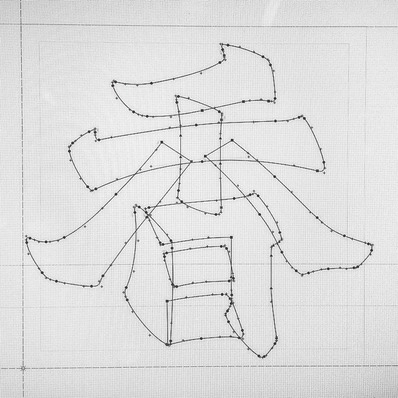
Using outlines to design a character. Image courtesy of 三語設計 www.trilingua.hk
當然,要做到連平台系統也支持要投入大量資源。當然,要做到連平台系統也支持要投入大量資源。人力方面亞洲當然沒問題,技術方面我覺得也是可以解決。日後有機會可真的要寫個建議書。
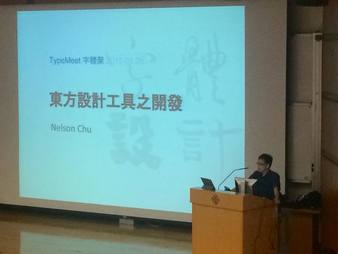
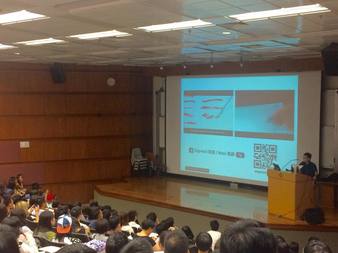
We thank the organizer of TypeMeet 字體聚  ‘本地薑’ , a  seminar  for topics on font and character designs, for letting us show our work there.  It's encouraging that  so many attended the public talks. 

The talks focused on design topics happening locally.  One problem we face today is that the current design tools mostly cater for Western ways of doing things.  We need more tools like Expresii so that we can more efficiently create digital works  that inherits our own culture.

日前我們參加了字體聚  ‘本地薑’ 研討會。會中講者提及:為什麼西方typeface 跟手寫字很接近,但中文的typeface 跟我們手寫的是那麼的不同?那是因為我們都用了西方的一套來做中文(第一套中文印刷體是西方人造的)。

目前中文字形的建立比歐文艱鉅得多,因為太多字,而且用西方的一套outline font 形式表達中文書法字體往往不適合。我們是不是要檢討一下,有沒有其他方式去表達中文?加入像Expresii 般的font rendering system 可能是一條出路。

Comments

Expresii On A US$150 Windows Tablet: Calligraphy (Pt 2)

23/12/2014

Comments

 
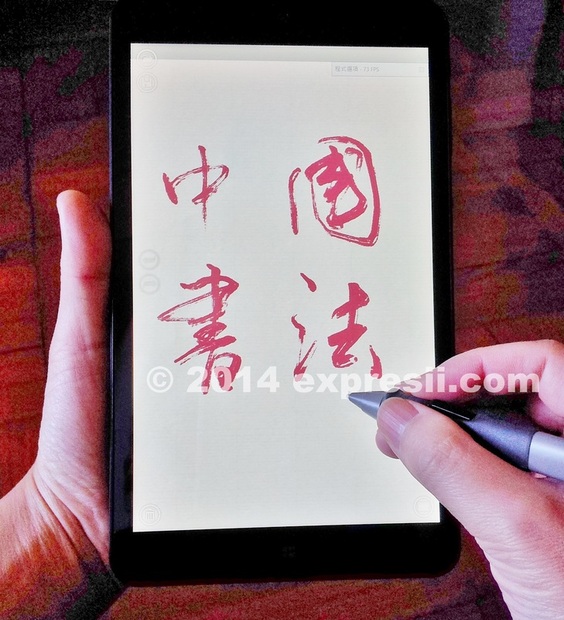
中國書法,歷史悠久。電腦時代,何從適配?最近一批廉價 Windows平板電腦湧現,再配以 Expresii Lite 軟件系統,一個真正便攜又廉價的數位書法方案便誕生了!

Authentic Digital Chinese Calligraphy!  真。數位書法不是夢!

Picture
[Continuing from last blog entry]  We first try the original stylus included in the  PiPO W5    package. We found that it's not as easy to control as the other styli from Hanvon that we have. Check out the test video below. We keep getting bad strokes due to the less-than-ideal pressure control and the friction of the stylus tip against the screen. Fortunately, using the other styli that we have, we get better control and are able to get some nice results. 
[續上回] 感覺  PiPO W5   原來的筆,筆壓操控沒那麼好:輕壓力容易劃不到線,壓重一點又很容易變得太粗。換了一支大一點的漢王筆,這筆比起wacom intuos 的筆要硬,但在這塊 W5上用卻發揮剛好。W5  本身驅動沒有如 Wacom 自帶的壓感輕重調控,日後如加入這樣的軟體調控,望可有幫助。
Picture
The small stylus is the one included in the W5 package. The bigger stylus is from an old Hanvon graphics tablet.
Below is another session with the larger stylus. Notice how organic the strokes are! These styli do not support tilt angle sensing, but the resultant strokes are not bad.  We of course still want tilt sensing (available in high-end graphics tablets) for best results. :)  Tablet makers, are you listening? 這些筆都沒有斜度感應,筆劃還好,但當然我們還是想要斜度感應的,書法嘛,就是要以筆的操控來畫出美的線條啊~
Below shows yet another session with the large stylus. The Atom Bay Trail used here is a very low-power CPU. Because of that, we cannot make very fast strokes without jaggedness. However, we are still very impressed by Intel's advances in their GPU-integrated CPU's. As you can see from the videos, zooming in to see stroke details is no problem, although it's not the smoothest experience like we have on desktops. To appreciate the advances, be informed that the 4 year-old TabletPC HP Touchsmart TM2 gives a mixed performance gain/loss compared to the Pipo W5 (table below) but is actually more than 5 times heavier!

Performance Comparison running Expresii Lite: 
                                      TM2      W5
Start-up           18            13      sec.
Stroking           65       49      FPS
Idle                     200*  110     FPS
Zoom Pan        20      75      FPS
* The max FPS is capped to 200.

Potentially the W5 can give better performance, as the CPU boost rarely pushes it to the maximum of 1.8GHz (ref.: the last video below). 
In the last video below, we show again a comparison of the original W5 stylus and another Hanvon stylus. You can literally hear the sound of friction as we get a broken line in this video. Maybe a matte screen protector can solve the problem? 除了壓感,原w5的筆還有摩擦問題啊,換一張屏幕保護膜可解決嗎?
In conclusion, we now have a very good candidate for an education tablet for school students. These Windows tablet are easy to carry, certainly much cheaper then an iPad, and are capable of running millions of .EXE applications already exist in the Windows ecosystem - be it content-creation or office applications, for examples. Android tablets can compete in terms of prices, but are quite limited in terms of applications. Professionals would probably opt for more capable (and more expensive) Windows tablets which are also available now. And, you know, if you still need to use some Android applications, you can always try an Android emulator like DuOS-M (paid) or  Droid4X  (free).

結論:學校如果要為學生配平板電腦供教學用途,這樣的Windows平板的確是個不錯的選擇。另,為中華文化傳承,也請各教育機構,認真考慮參與數位書法的發展。

Next blog entry, we will try sketching with the W5.
Finally, we wish you a Merry Christmas and happy painting in 2015!
Picture
Comments
Forward>>

    Expresii 寫意

    Previous Posts
    以前的文章

    October 2025
    September 2025
    May 2025
    December 2024
    November 2024
    September 2024
    June 2024
    May 2024
    November 2023
    August 2023
    July 2023
    June 2023
    January 2023
    November 2022
    October 2021
    July 2021
    June 2021
    May 2021
    April 2021
    March 2021
    February 2021
    December 2020
    November 2020
    October 2020
    August 2020
    June 2020
    April 2020
    January 2020
    December 2019
    November 2019
    October 2019
    September 2019
    August 2019
    July 2019
    May 2019
    April 2019
    March 2019
    February 2019
    January 2019
    December 2018
    November 2018
    September 2018
    July 2018
    June 2018
    April 2018
    March 2018
    February 2018
    January 2018
    December 2017
    October 2017
    August 2017
    July 2017
    June 2017
    May 2017
    April 2017
    February 2017
    January 2017
    December 2016
    November 2016
    October 2016
    September 2016
    July 2016
    June 2016
    May 2016
    April 2016
    March 2016
    February 2016
    January 2016
    December 2015
    October 2015
    September 2015
    August 2015
    July 2015
    June 2015
    March 2015
    February 2015
    January 2015
    December 2014
    November 2014
    October 2014
    September 2014
    August 2014
    July 2014
    June 2014
    April 2014
    November 2013
    October 2013
    July 2013
    February 2013
    January 2013
    December 2012

    Categories 分類

    All
    3rd Party Tool
    Animated
    Artists
    Calligraphy
    Demo
    Hardware
    Mac
    New Feature
    Publicity
    Purchase
    Surface
    Tech

    RSS Feed

Picture
© Expresii.com 2012-2025. All Rights Reserved.